Confidence, beyond the browser.
Bring your Android and iOS journeys into the same QA workflow. Keep device setup explicit and results alongside your web coverage.
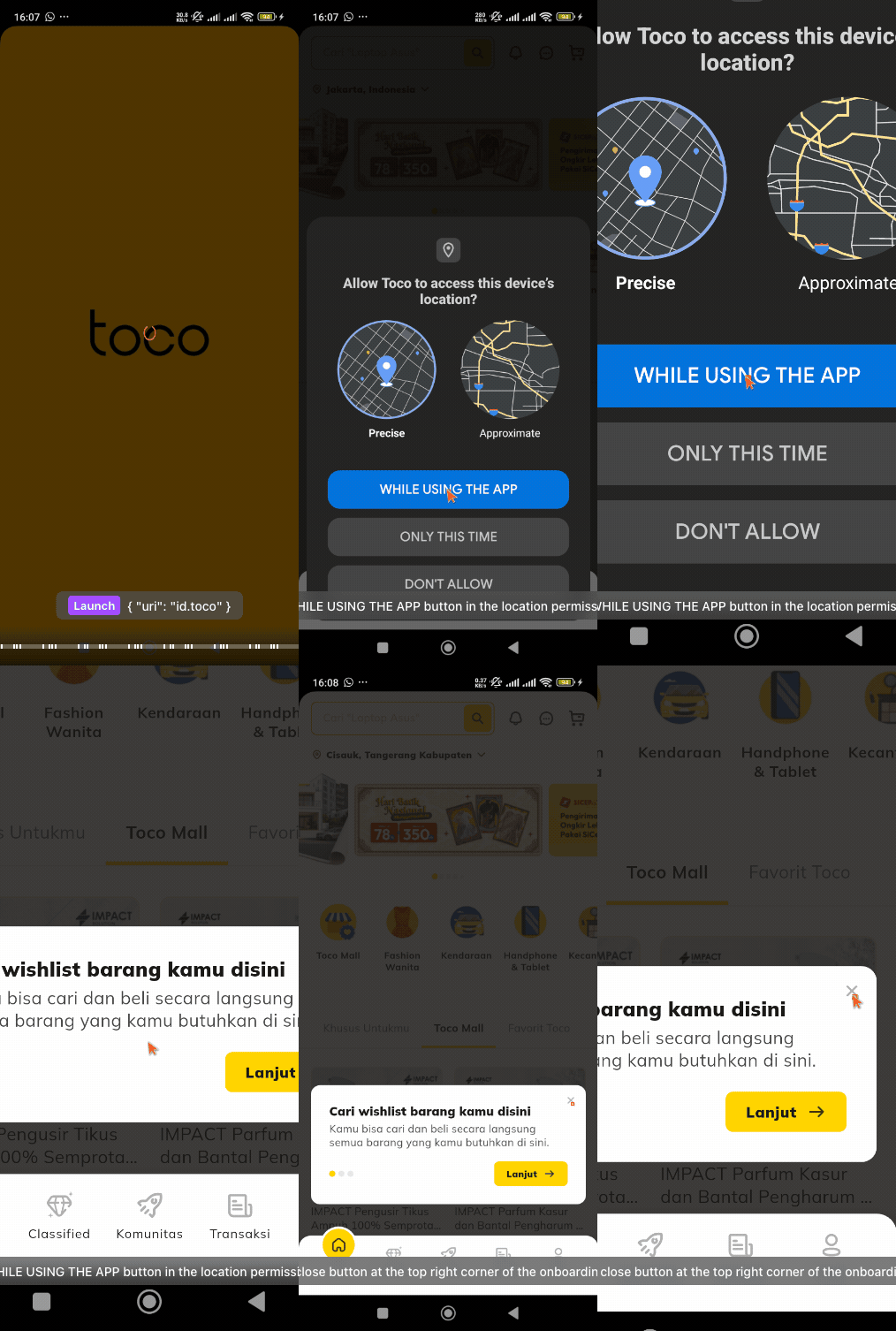
Your app. Your device context.
Install AuraCheck Desktop on Windows or macOS for Android execution through a connected device or emulator. iOS testing connects to a device or simulator through WebDriverAgent, with its own compatible host setup.
One place for release evidence.
Organize mobile cases, inspect attempts, and share the same outcome vocabulary with your web team. Validate device-specific permissions and navigation.
How does AuraCheck run an E2E test?
You define the user journey and expected outcomes. AuraCheck uses vision AI to interact with the interface, execute the steps, and attach evidence to the run. Review the generated cases before execution, then inspect the results and screenshots.
Do I need to write test code?
You can start from a PRD or plain-language steps. The generated cases and automation scripts stay reviewable, so QA engineers can refine assertions, data, and execution details when needed.
Can I test web and mobile apps?
Yes. AuraCheck supports browser, Android, and iOS testing. The Windows and macOS desktop app runs Android tests on a connected device or emulator. iOS connects through WebDriverAgent and requires its own host and device setup.
Your next release deserves proof.
Bring one important user journey. See what AuraCheck can do with it.